Software Ecosystem

Low-Friction OT Tooling Built from Field Work

Four standalone tools for OT mapping, flow analysis, emulation, and scoped offensive validation. Use the one that fits the job, or combine them when the workflow calls for it.

MarlinSpike

Passive OT topology mapper with Purdue level auto-classification and industrial protocol deconstruction from a single pcap. Zero external dependencies and assessment-ready outputs.

What It Solves

Immediate network visibility

Generate usable topology views quickly from packet captures without agent rollout projects.

Assessment-ready context

Support practical risk workflows, including IEC 62443-informed assessment context in the practitioner path.

Operator-safe deployment model

Cloud entry tiers for sanitized captures, plus offline professional licensing for real sites.

Why Buyers Upgrade
  • Production capture upload restrictions prevent cloud-only use
  • Live web tiers intentionally cap upload size and generations
  • Offline license enables local execution, live capture, and full reporting workflows
  • Practitioner license is priced as a professional tool, not a hobby utility
  • Discovery-led site licensing supports multi-site deployment and training bundles

MarlinSpike Interface Snapshots

Screens from the current product experience showing the asset inventory workflow, scan pipeline status, and project-based pcap processing. Shown here from demo and controlled usage contexts.

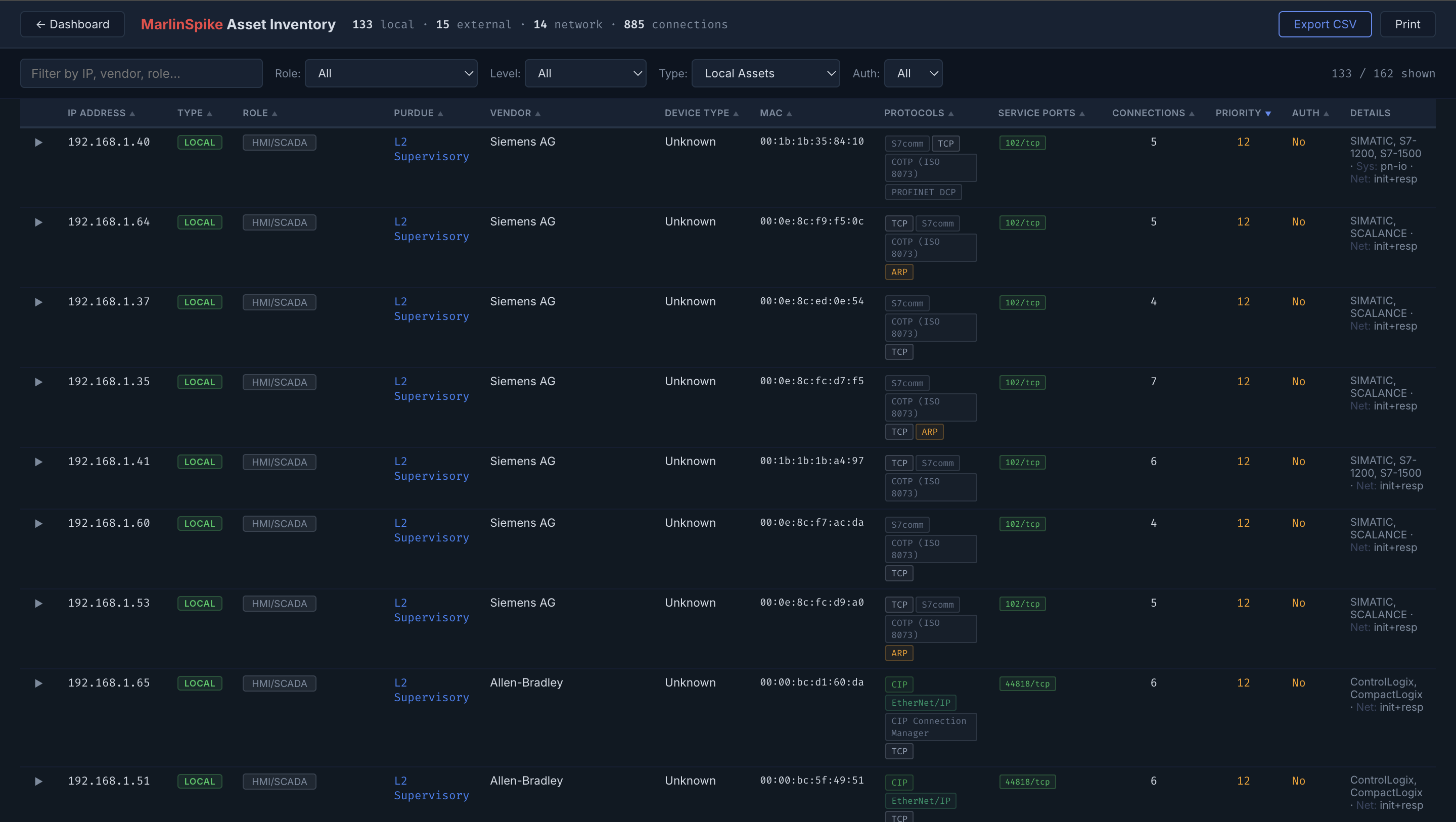
MarlinSpike asset inventory table view with OT device details, protocols, and service ports
Asset inventory outcome: gives assessors and plant teams a fast starting point for asset, protocol, and exposure review from a single capture.
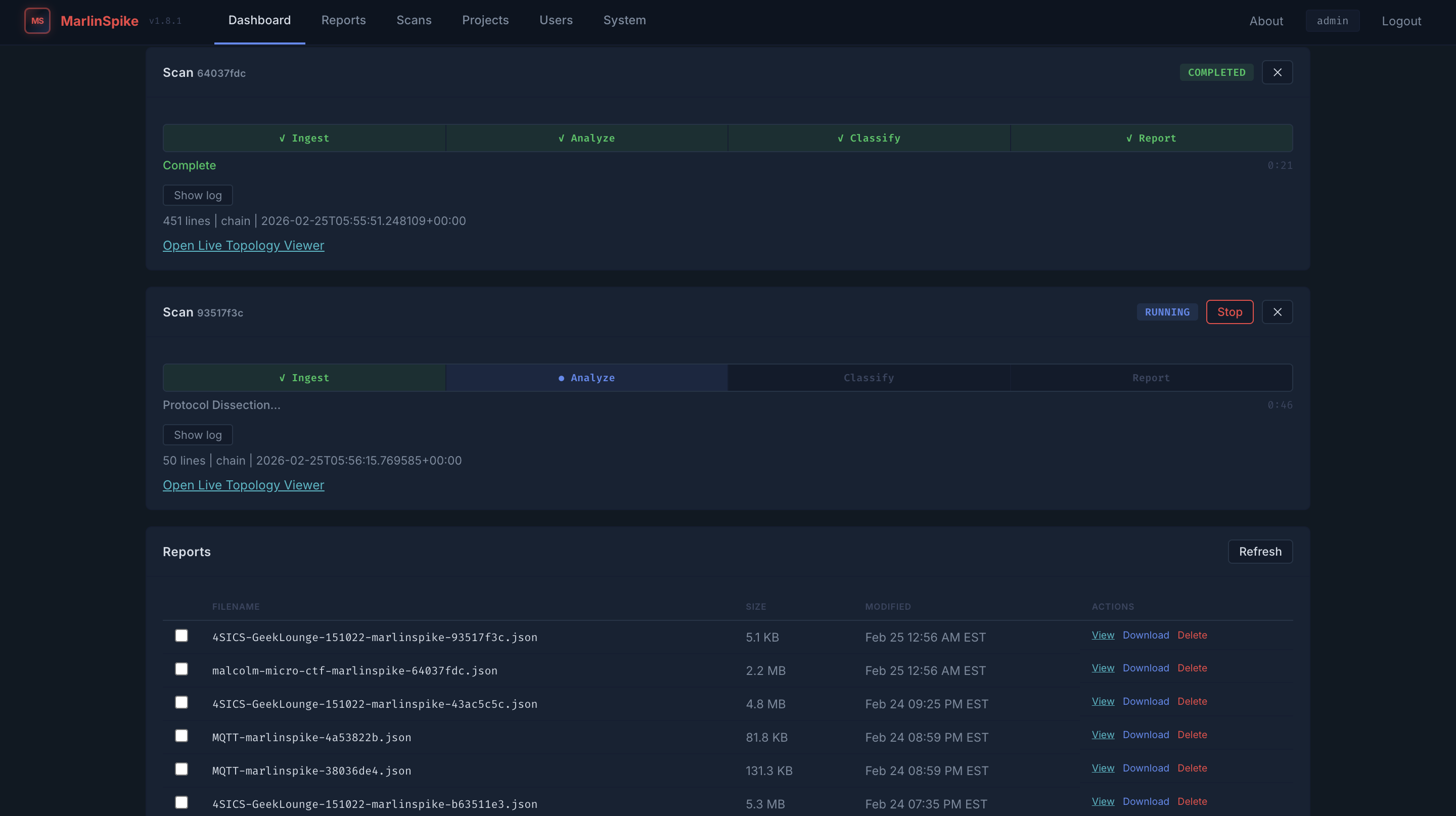
MarlinSpike dashboard showing scan stages, running jobs, and generated reports
Scan pipeline outcome: shortens time from ingest to usable report so teams can move into review and action faster.
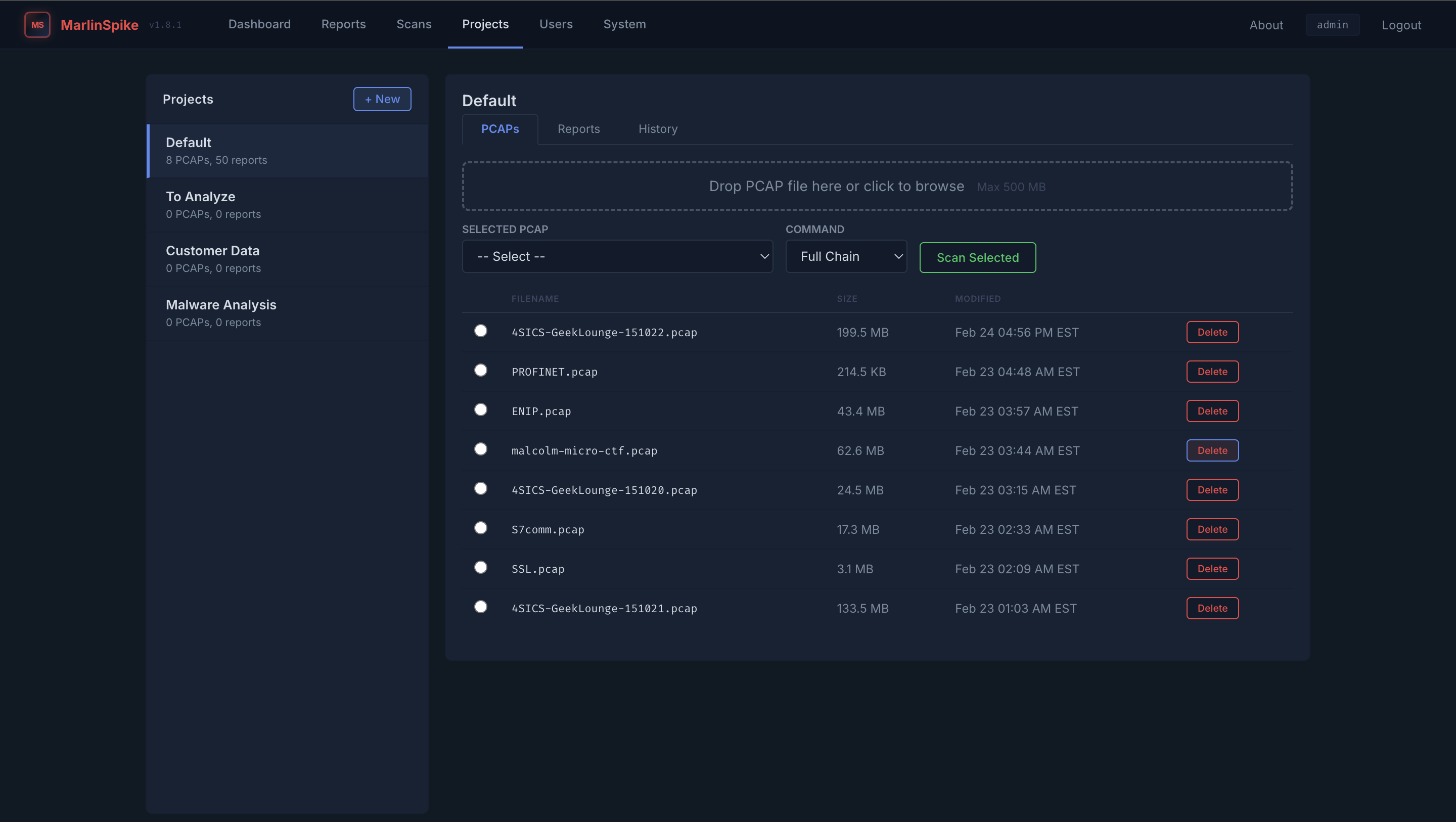
MarlinSpike project view showing pcap upload, scan command selection, and file list
Project workflow outcome: keeps repeat analysis organized when multiple captures, scenarios, or customers are in play.

Software Access Paths

Access paths are shown publicly to qualify buyers quickly and reduce low-fit inbound inquiries. All requests are manually reviewed and routed through the fastest appropriate path.

MarlinSpike Live / Web-Based Scanners

Live Basic

Students and entry-level lab users.

Limited Web Access qualified use
  • 50MB maximum upload size
  • 10 generations per month
  • Sanitized pcap upload workflow
  • No live capture or local execution

Live Pro

Researchers and advanced home labs.

Web Access qualified use
  • 200MB maximum upload size
  • 10 generations per month
  • Sanitized pcap upload workflow
  • No assessment-ready reporting included

Live Power

Heavy web usage on sanitized captures.

High-Use Web Access fair use policy
  • 200MB maximum upload size
  • Unlimited generations (fair use)
  • Cloud compute protected by usage policy
  • No live capture or offline runtime
Offline Professional

Practitioner License

Independent OT consultants, field assessors, and plant engineers.

Offline Professional Access annual license path
  • Offline Docker or bare metal access
  • Live capture + passive topology mapping
  • Industrial protocol deconstruction
  • IEC 62443 risk asset assessment workflow
  • No permanent production footprint required

Built for professionals who need practical context to apply IEC 62443 safely and effectively on-site. IEC 62443 is a strong framework, but it is not a blanket. MarlinSpike gives practitioners the field lens needed to apply it in brownfield environments without forcing theory-first workflows.

Enterprise / Multi-Site

Site License

For organizations bundling deployment, training, and consulting support.

Contact Us discovery required
  • Multi-site rollout planning
  • Operational constraint review
  • Bundled consulting and training options
  • Vetted access to restricted capability (when applicable)
  • Quick discovery call: capability fit + operational constraint review

Enterprise access is held behind discovery to scope fit, risk, and operational support needs correctly. Discovery is short and technical: we review environment constraints, rollout goals, and the right software/consulting/training mix before quoting multi-site access.

Prism and Artifice

Purpose-built tools for flow analysis, scenario rehearsal, planning, and technical training.

Prism

OpenFlow Visualization Package

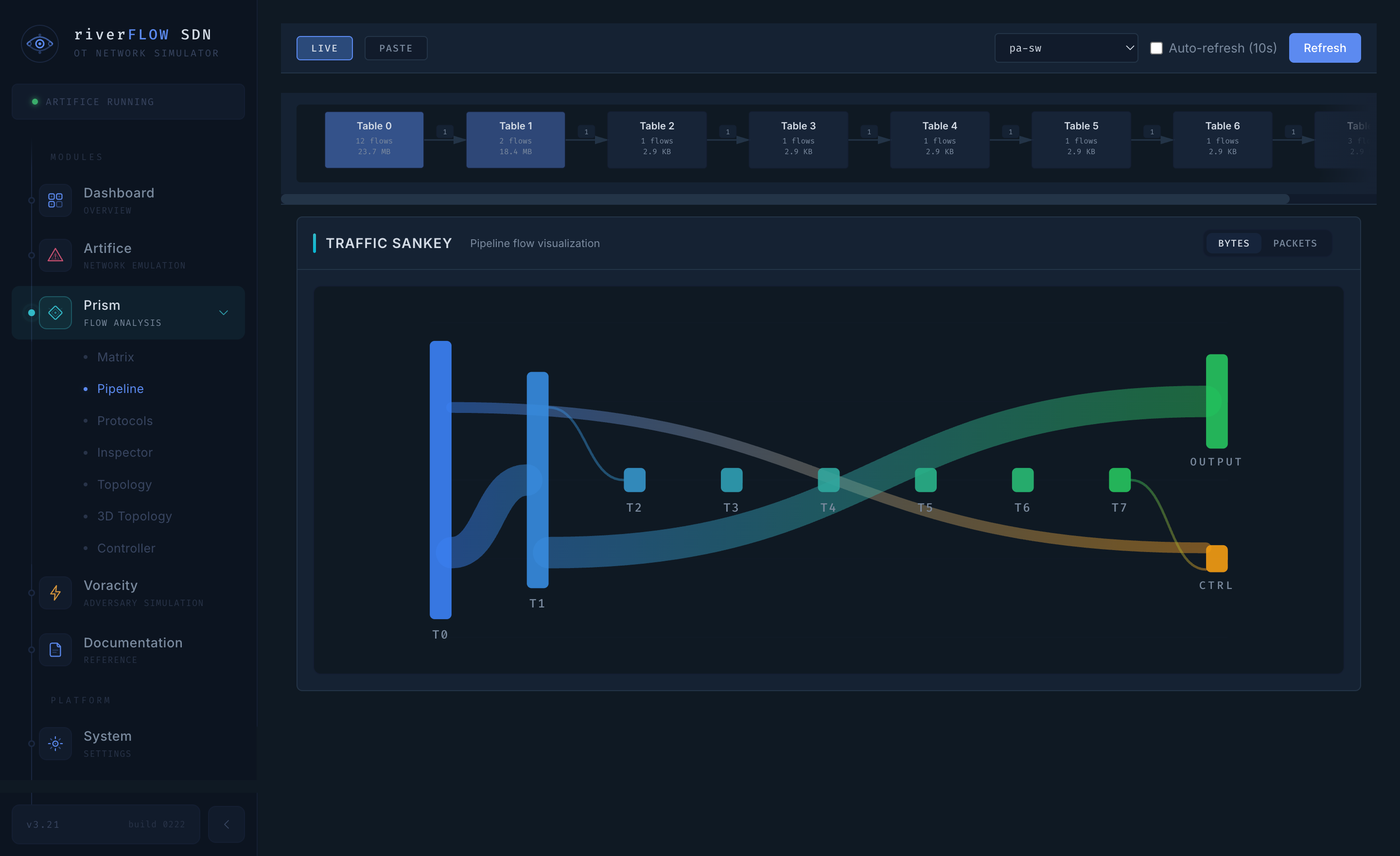
Deep flow inspection and visualization to support analysis workflows where packet-level context needs to be translated into operator-usable network understanding.
Flow analysis Visualization Inspection support
Prism flow analysis pipeline view with traffic sankey visualization
Prism outcome: turns hard-to-explain traffic behavior into visuals teams can review together and act on faster.
Artifice

Complete Network Emulator

Supports training, network planning, and DPI testing in controlled scenarios before high-consequence changes reach production environments.
Emulation Training labs Planning & validation
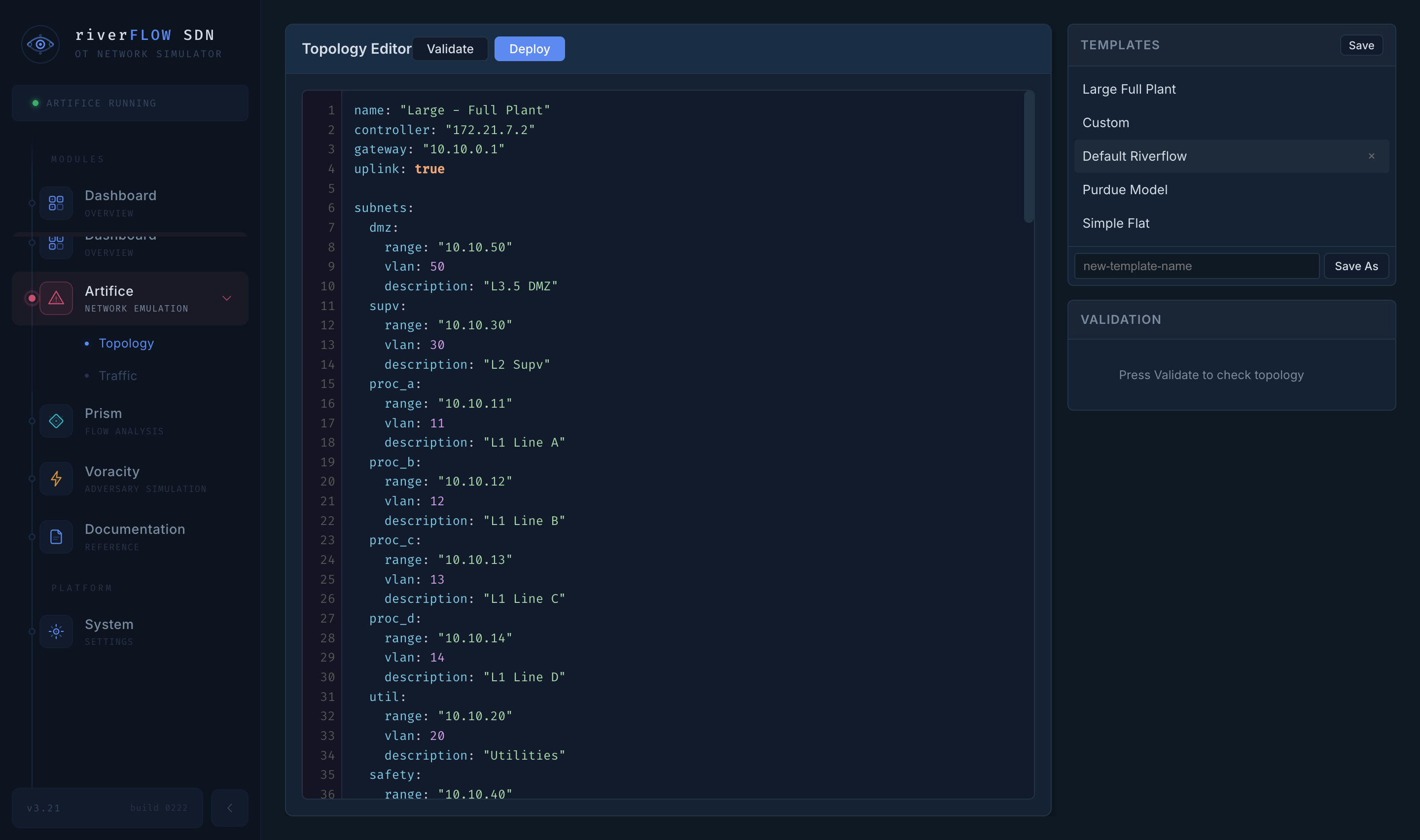
Artifice topology editor showing emulated OT network configuration and template controls
Artifice outcome: lets teams validate assumptions and rehearse high-consequence changes before they touch the plant.
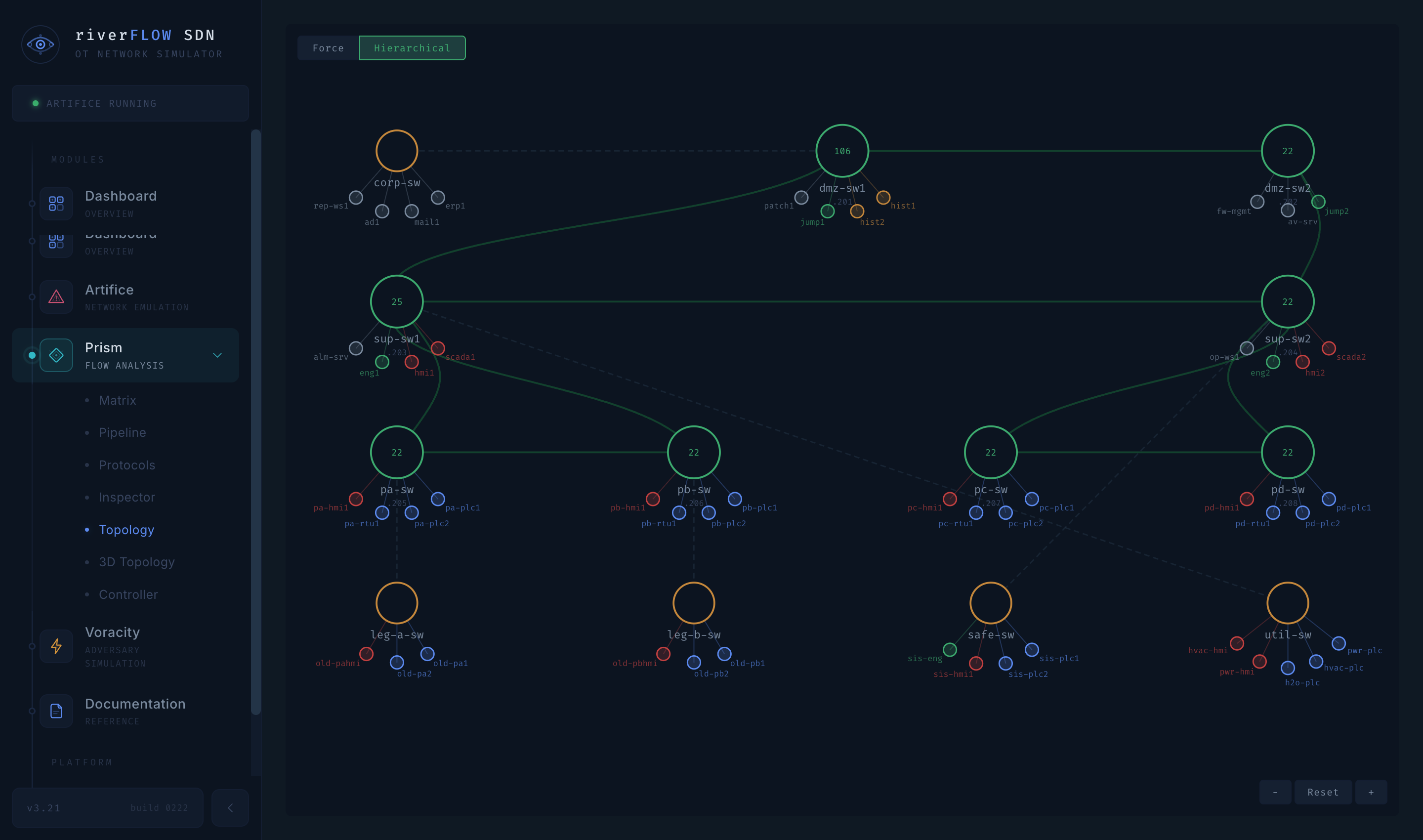
Prism 3D topology visualization mapped across Purdue levels
Prism 3D outcome: gives reviewers a clearer picture of zones, conduits, and choke points when flat tables are not enough.
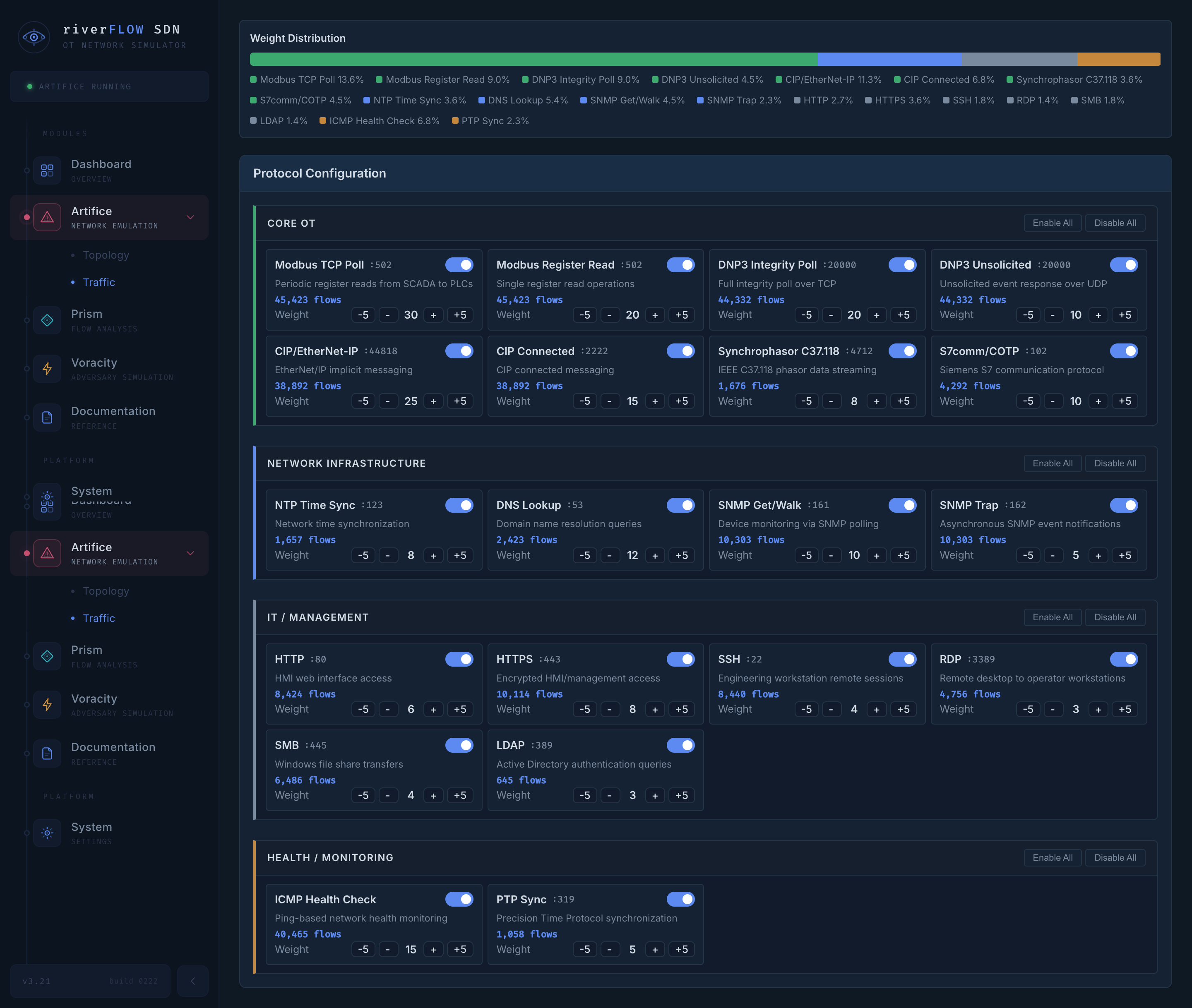
Artifice traffic configuration interface showing protocol weights and simulated flow setup
Artifice traffic outcome: helps teams tune DPI logic and training scenarios against realistic protocol mixes before go-live.
Restricted Capability

Controlled Offensive Testing (Inquiry Only)

River Risk supports vetted offensive testing workflows for authorized environments. Tool and exploit platform details are intentionally kept behind an inquiry wall.

Authorized testing only. Access is vetted and restricted to approved use cases and customer-controlled environments.
Fast Qualification

What to include in your request

  • Role and organization type (asset owner, consultant, researcher)
  • Target license path (Live, Practitioner, Site)
  • Offline requirements or cloud-upload restrictions
  • Deployment timeline and number of users/sites
  • Need for training, assessments, or consulting support